Castofly

End-to-end Product Design
UX UI Design
Branding
Role
Lead UX/UI Designer
Team
Solo designer collaborating closely with developers and founders
Tools
Figma, Adobe illustrator, Adobe photoshop
Duration
Sep 2021 - Dec 2022 (1 year and 4 months)

Description

Castofly is a web based application that helps non technical users create engaging video presentations and digital content from audio, text, screen recordings, or webcam inputs, powered by AI and video processing.

My contribution

As the sole designer, I redesigned the initial MVP from the ground up, transforming an unclear and unintuitive experience into a simple, guided workflow, increasing conversion by 72% within 6 months and ranking #10 Product of the Day on Product Hunt.

Highlights

No items found.

Overview

Context

Castofly started as an early MVP with a promising idea: enabling users to generate video content from different inputs such as text, audio, and visuals.

However, the experience lacked structure, clarity, and a clear product identity, making it difficult for users to understand how to create content or what the product offered.
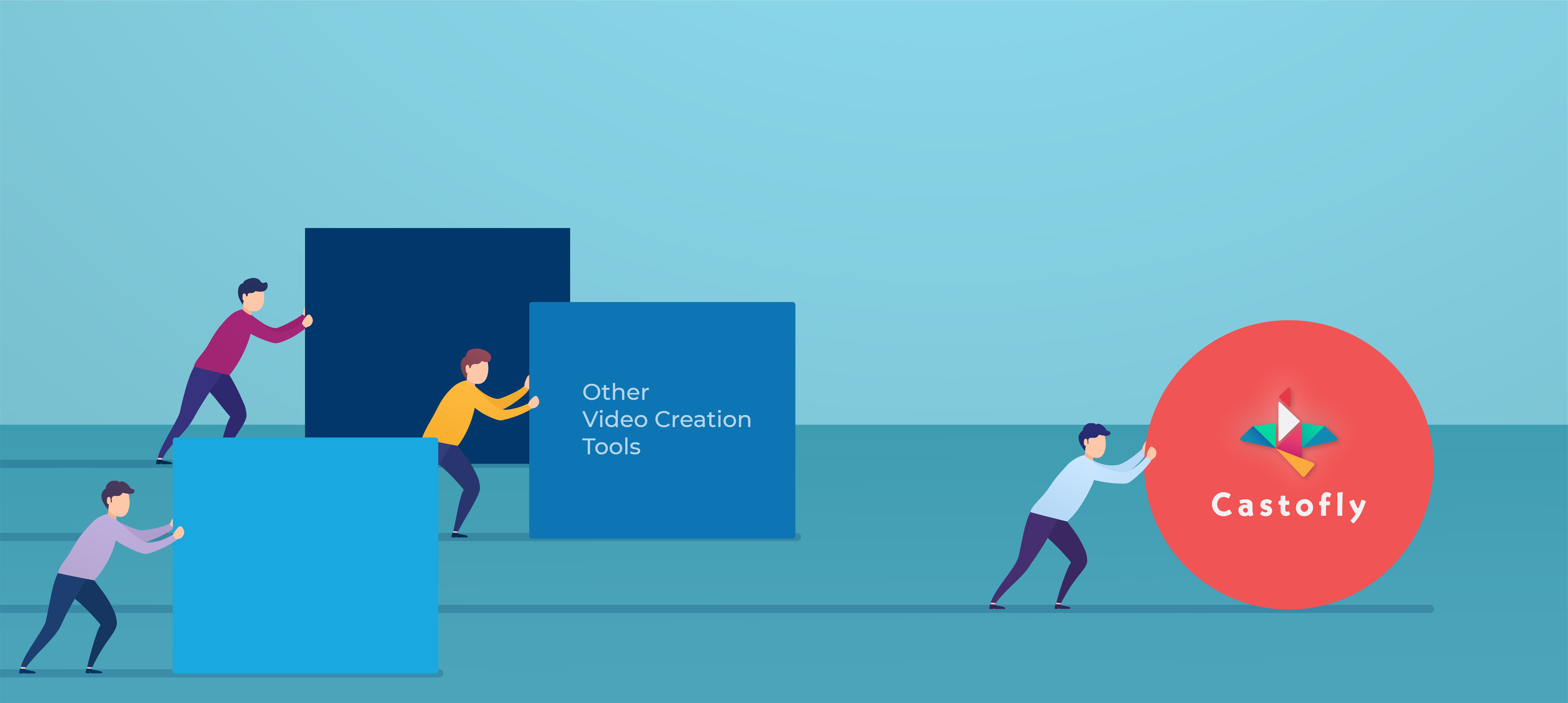
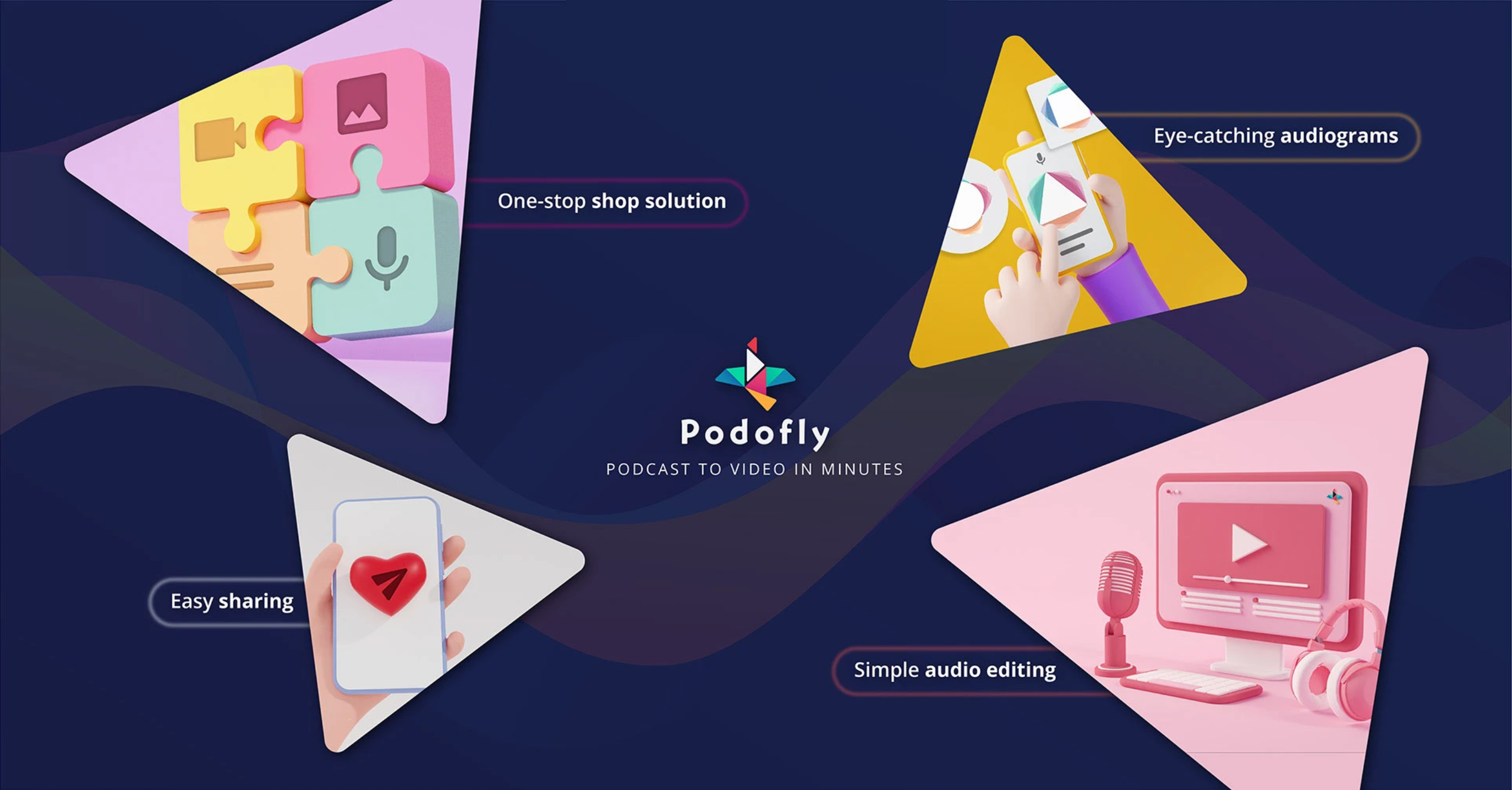
Marketing poster designed by me

What I Did

I redesigned the product from the ground up, shaping the experience, structure, and identity.
  • Defined the end to end user experience and product flows
  • Designed the UI and interaction system across the platform
  • Established the visual identity including logo, color system, typography, and illustrations
  • Developed a distinct visual language using origami inspired birds, applied consistently across product and marketing
  • Built and scaled a design system for consistency and growth
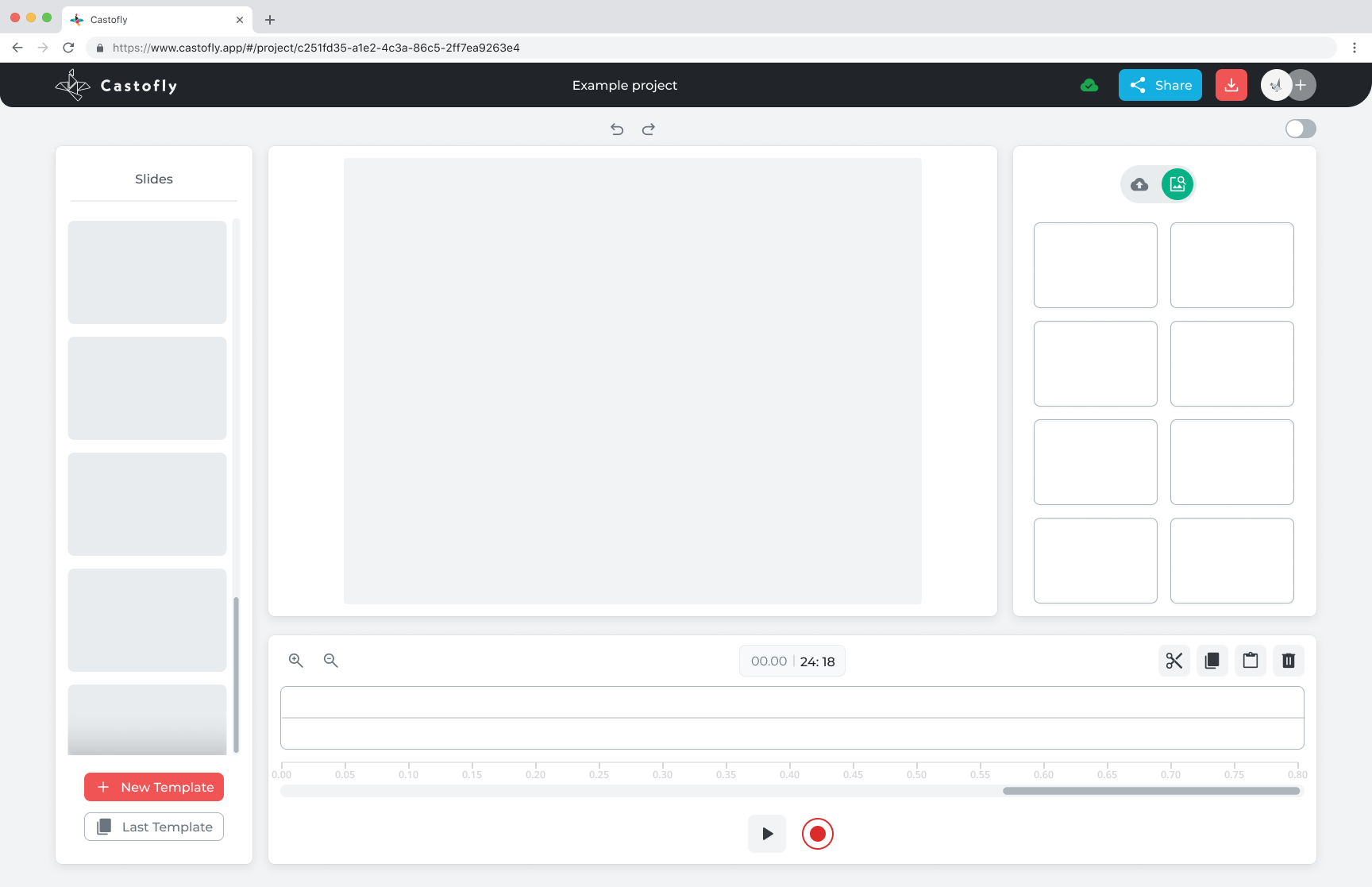
  • Designed the dashboard, editor, and core creation tools
  • Designed the landing page and registration experience
  • Created promotional assets and marketing visuals

Problem

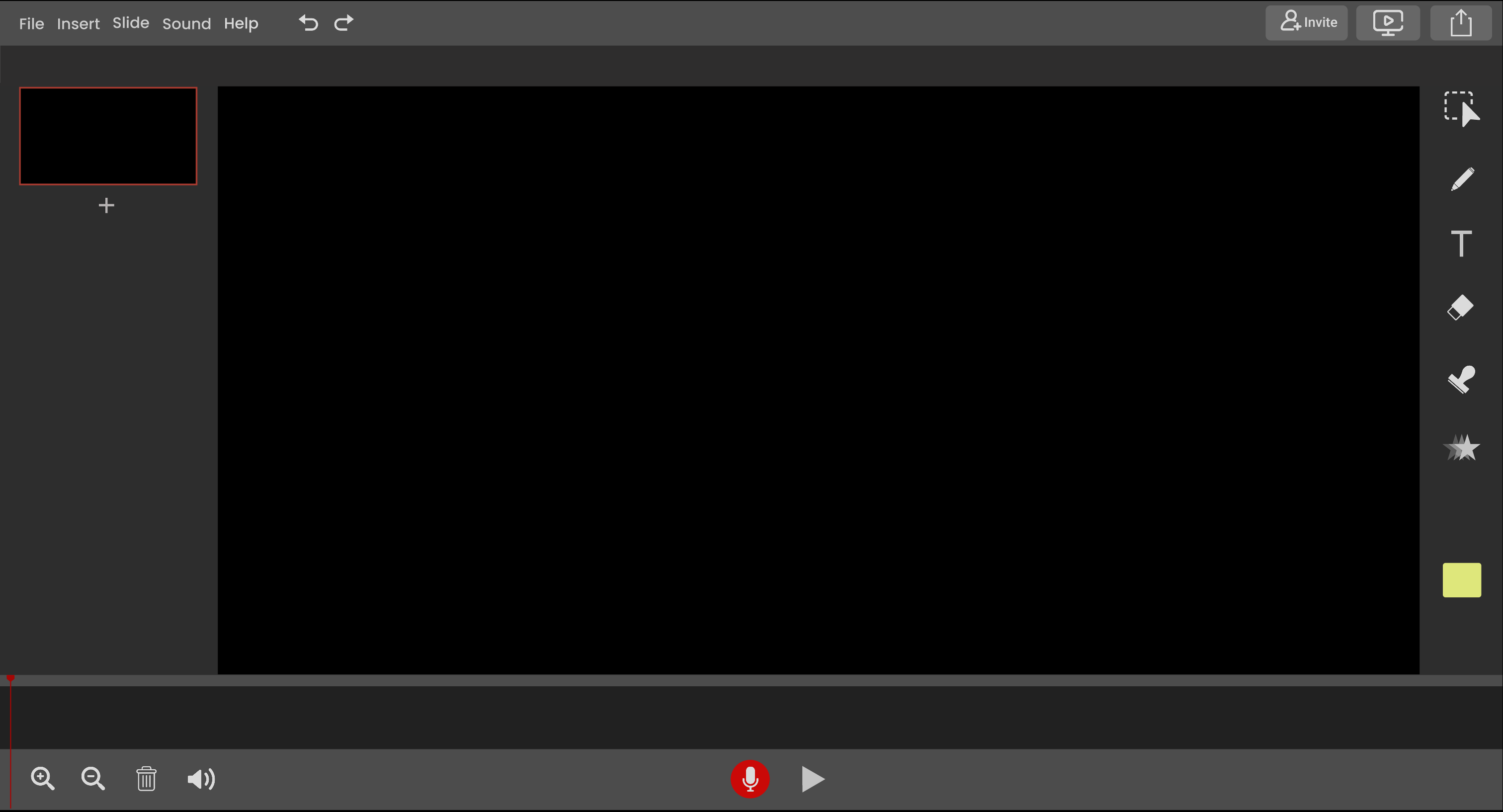
Before

  • Early MVP with no clear user guidance
  • Dark interface with low contrast
  • Red used as the primary color, creating an alarming tone
  • Limited feature set
  • No support for key use cases like:
    • audio to visual content
    • text to presentation
    • screen recording
    • webcam recording
  • No cohesive branding or product identity

Key Issues

  • Lack of clear structure and flow
  • No guidance for first-time users
  • Difficult to understand how to create content
  • Missing features needed for real use cases
  • Weak differentiation from existing tools

Why This Matters

For a product aimed at non-technical users, these issues created friction at every step.

Users struggled to:

  • understand what the product does
  • get started confidently
  • complete content creation successfully

This resulted in a weak first impression and limited adoption potential.

Research & insights

Key Insights

  • Users need guidance, not just flexibility
  • First impressions strongly impact trust and usability
  • Feature depth only matters if users understand how to use it
  • Simplicity comes from removing friction, not just organizing it
  • Product and branding must work together to communicate value

Key Desicions

  • Prioritize a guided creation flow over flexibility
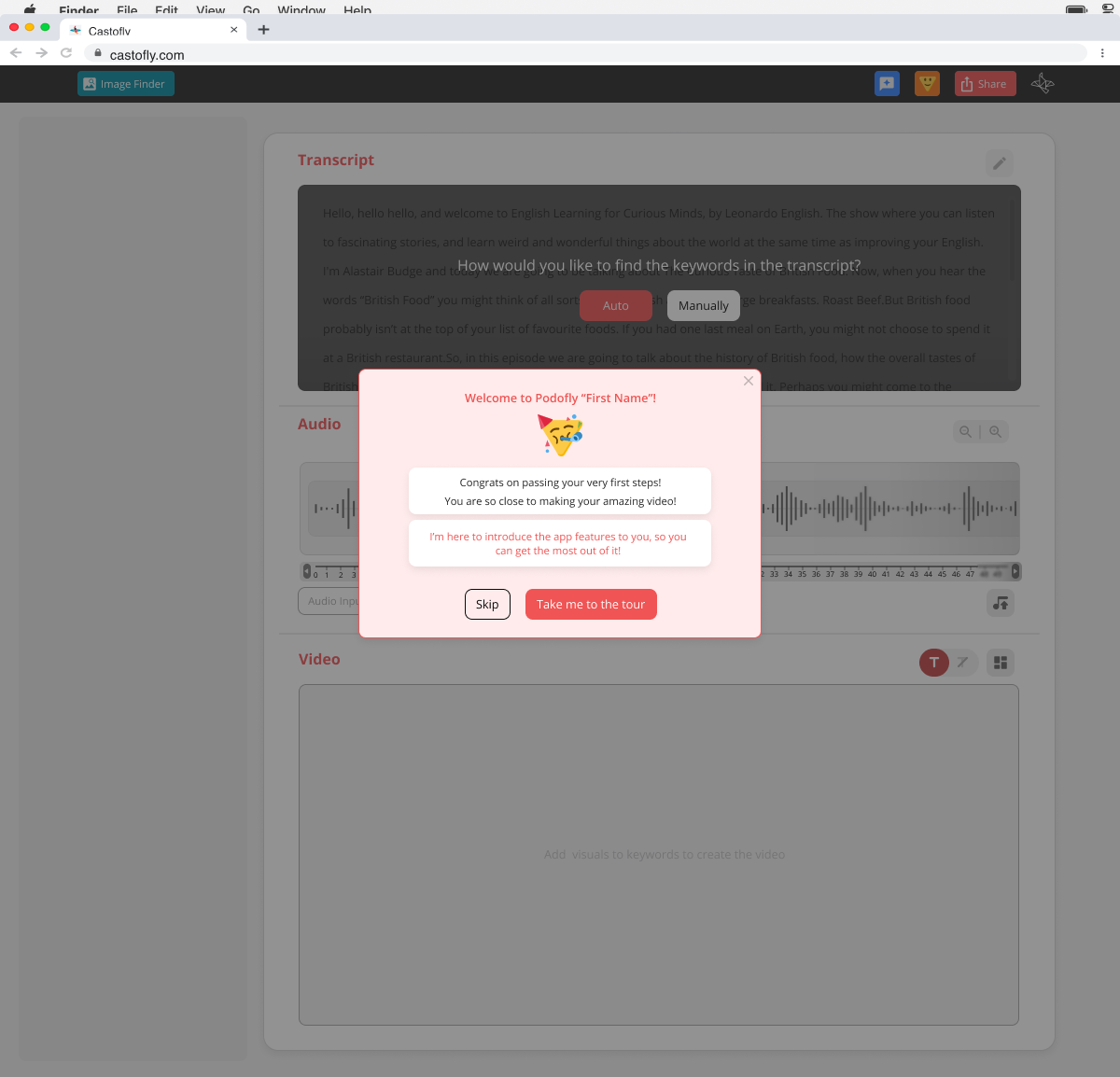
  • Introduce onboarding and contextual guidance
  • Remove unnecessary complexity to reduce friction
  • Design specifically for non-technical users
  • Build a scalable design system early
  • Focus on accessibility and clarity across the experience

Design process

The core creation experience evolved through multiple iterations based on usability testing and feedback.

Key areas explored:
  • simplifying the number of steps in content creation
  • improving clarity of actions and next steps
  • reducing cognitive load in the editor
  • testing different ways to guide users without overwhelming them

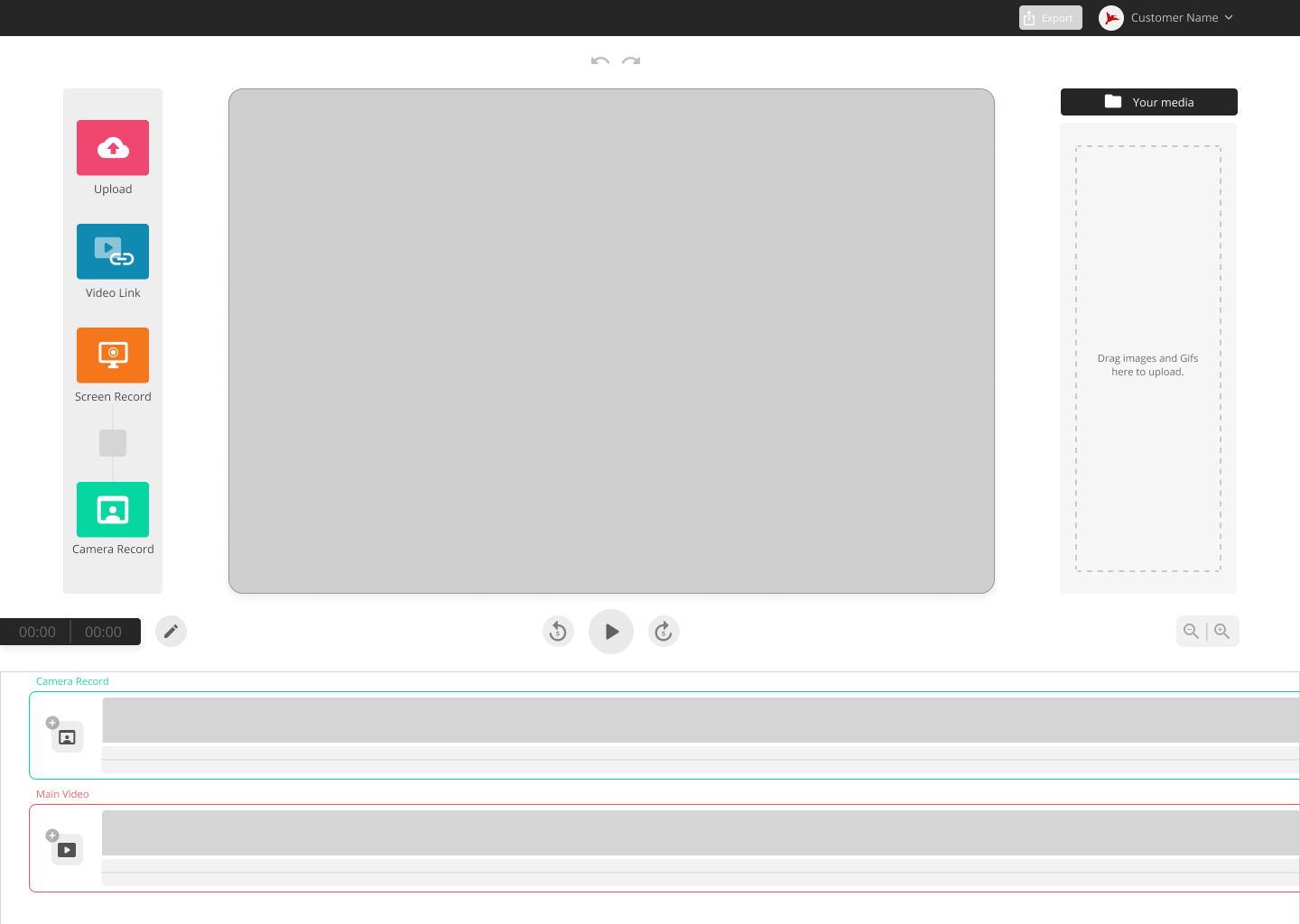
Initial Version

  • Unclear layout and feature hierarchy
  • Users struggled to understand where to start
  • Key actions were not easily discoverable

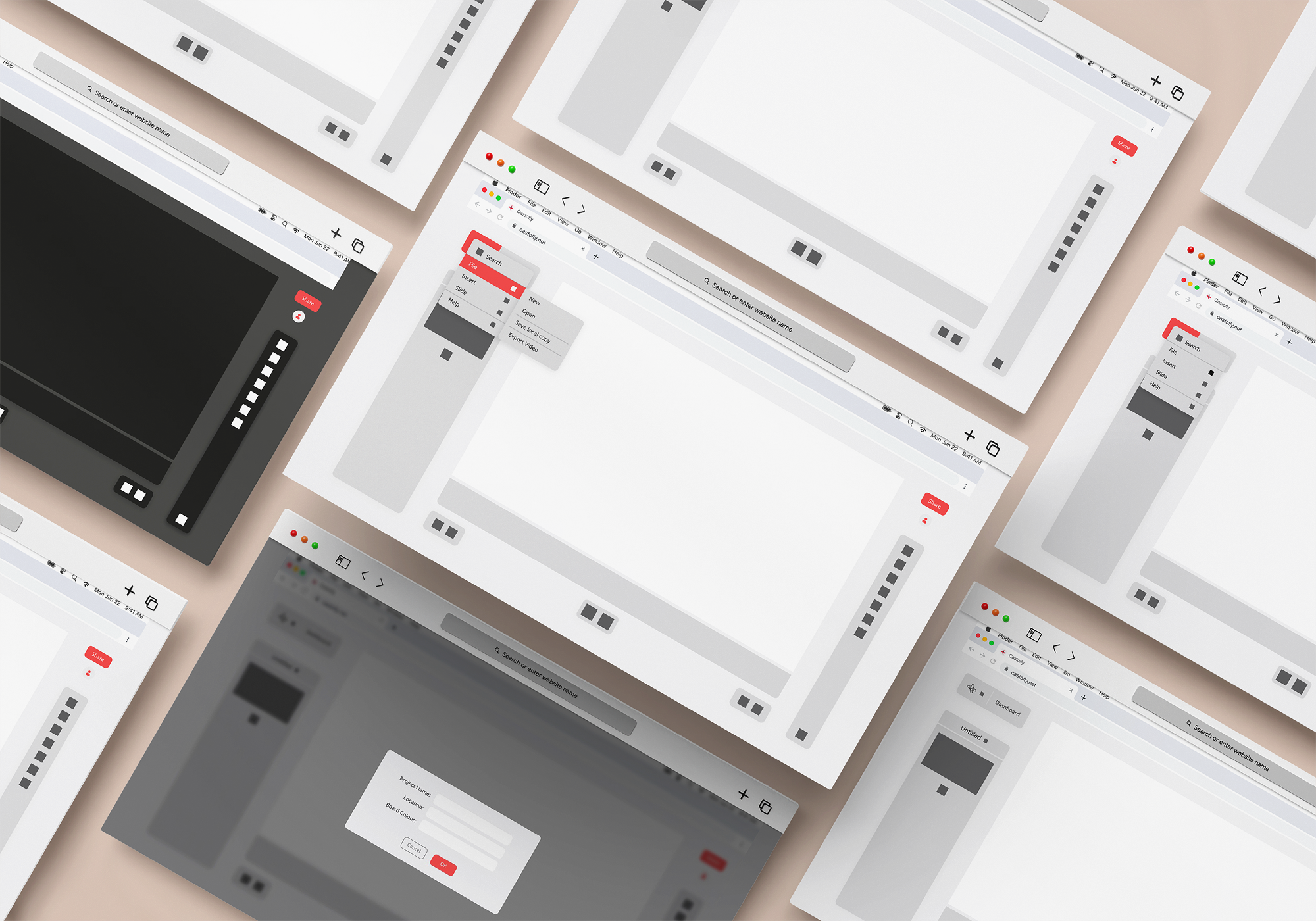
Low fidelity wireframe

First Redesign

  • Improved structure and visual hierarchy
  • Introduced clearer entry points
  • Reduced clutter and simplified layout

After Usability Testing

  • Refined interactions based on real user feedback
  • Improved discoverability of key features
  • Adjusted layout to support a smoother flow

Solution

Final Experience

The redesigned product centers around simple, guided creation flows tailored for non-technical users.

Users can:
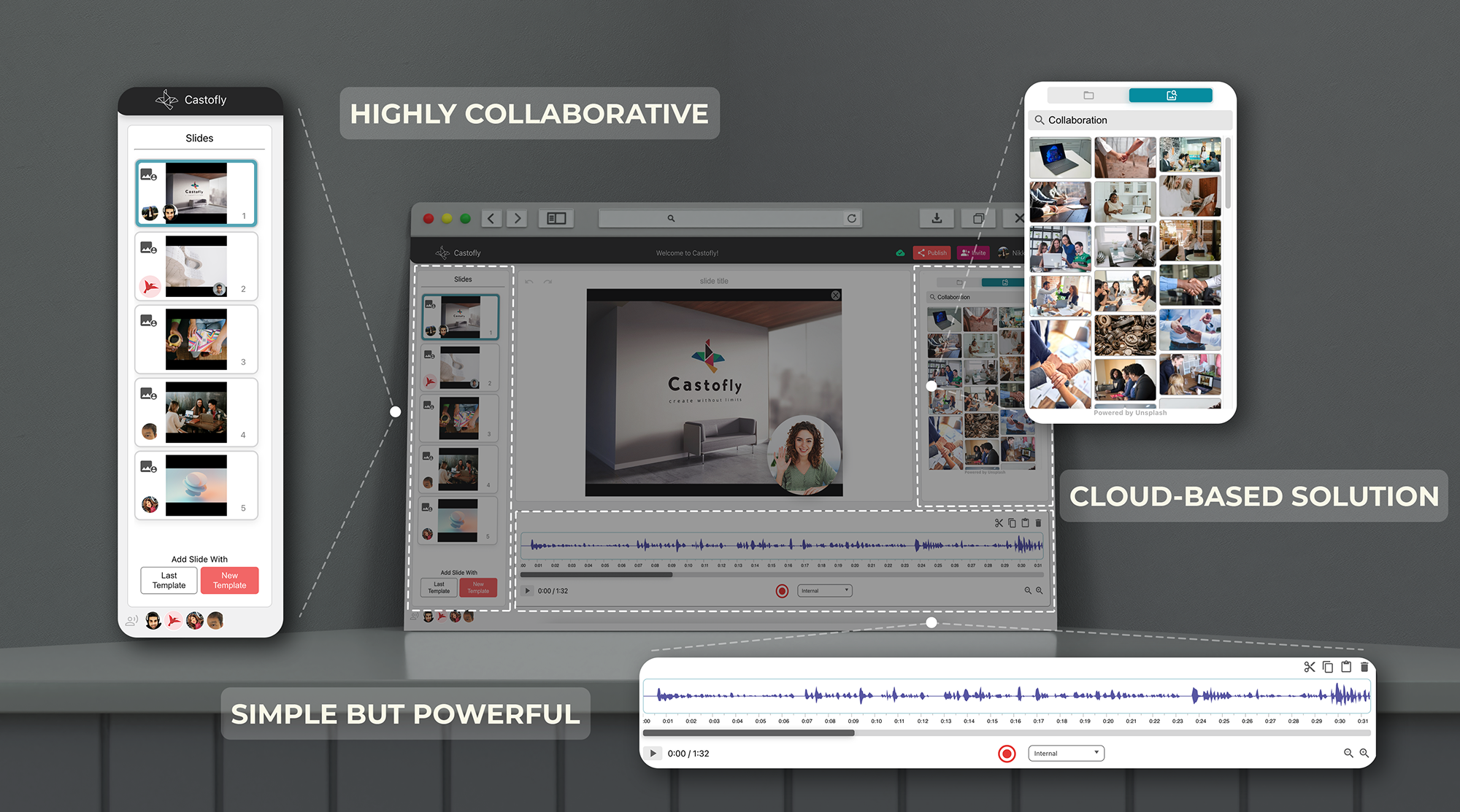
  • create presentations from text and visuals
  • record tutorials using screen capture
  • create video content using webcam input
  • manage projects through a simplified dashboard

Key Improvements

  • step-by-step guided creation flow
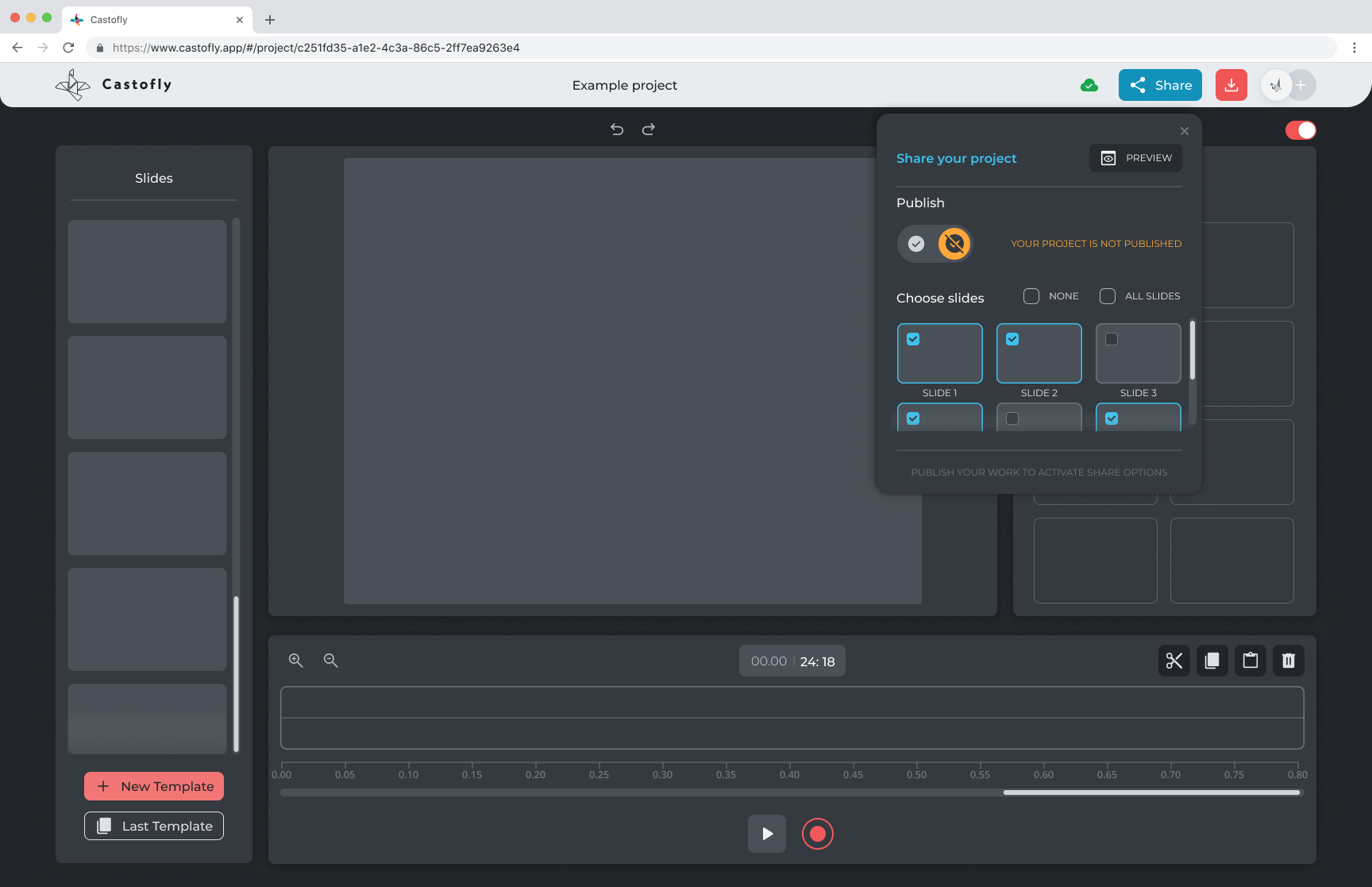
  • improved accessibility and contrast
  • expanded feature set supporting real use cases
  • onboarding and guidance for first-time users
  • simplified and structured interface
  • consistent interaction patterns across the product

Product & Design System

A scalable design system was introduced to ensure consistency across the product and marketing.

This included:

  • a refined color system aligned with usability and tone
  • consistent UI components and interaction patterns
  • typography and layout system for clarity
  • an origami-inspired visual language used across product and brand

Key Features and High Fidelity Prototype

The product was designed to support different ways of creating content, while keeping the experience simple and guided.

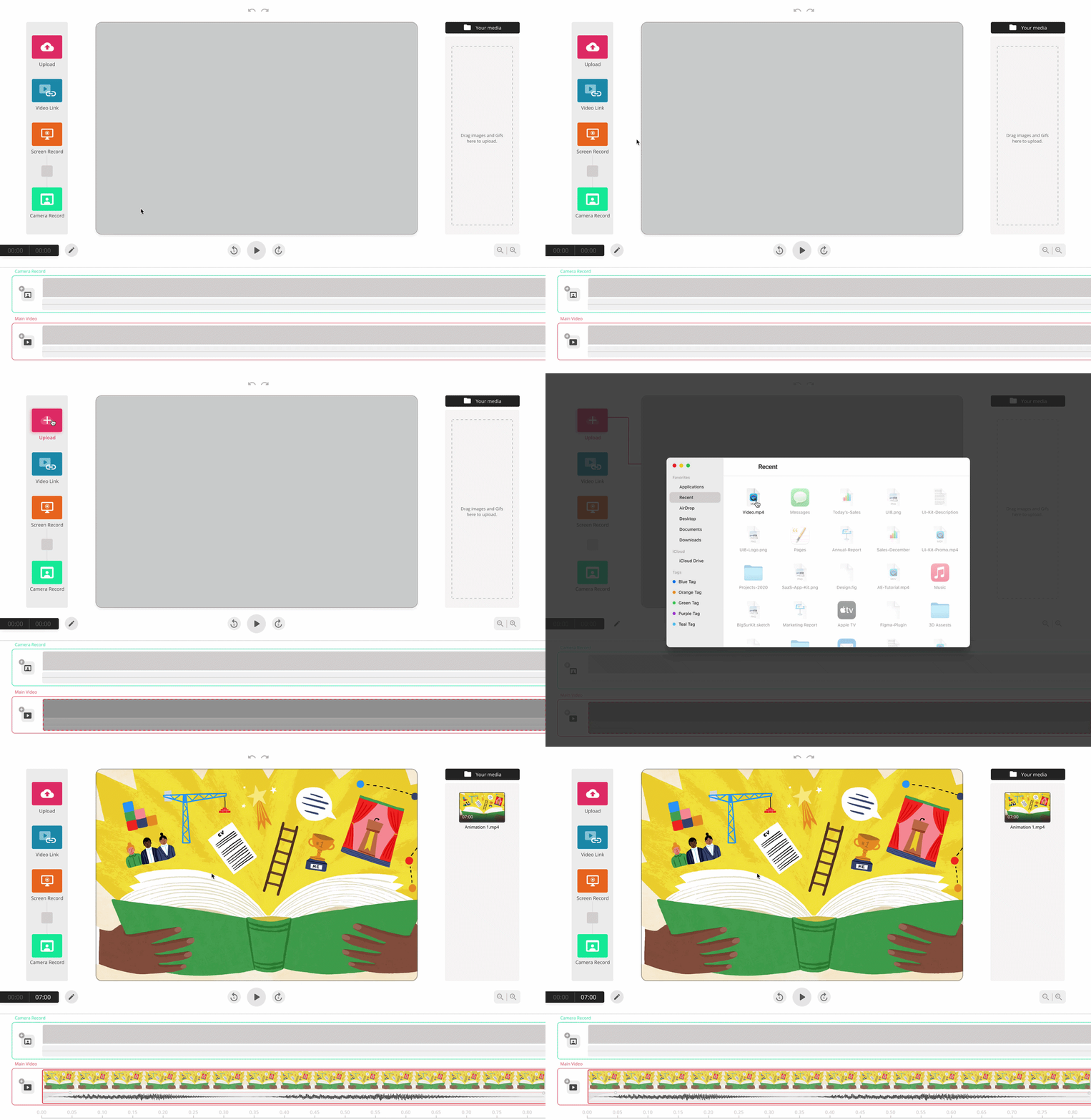
Video Upload and Creation Flow

Upload content and quickly move into a guided creation process without complex setup.
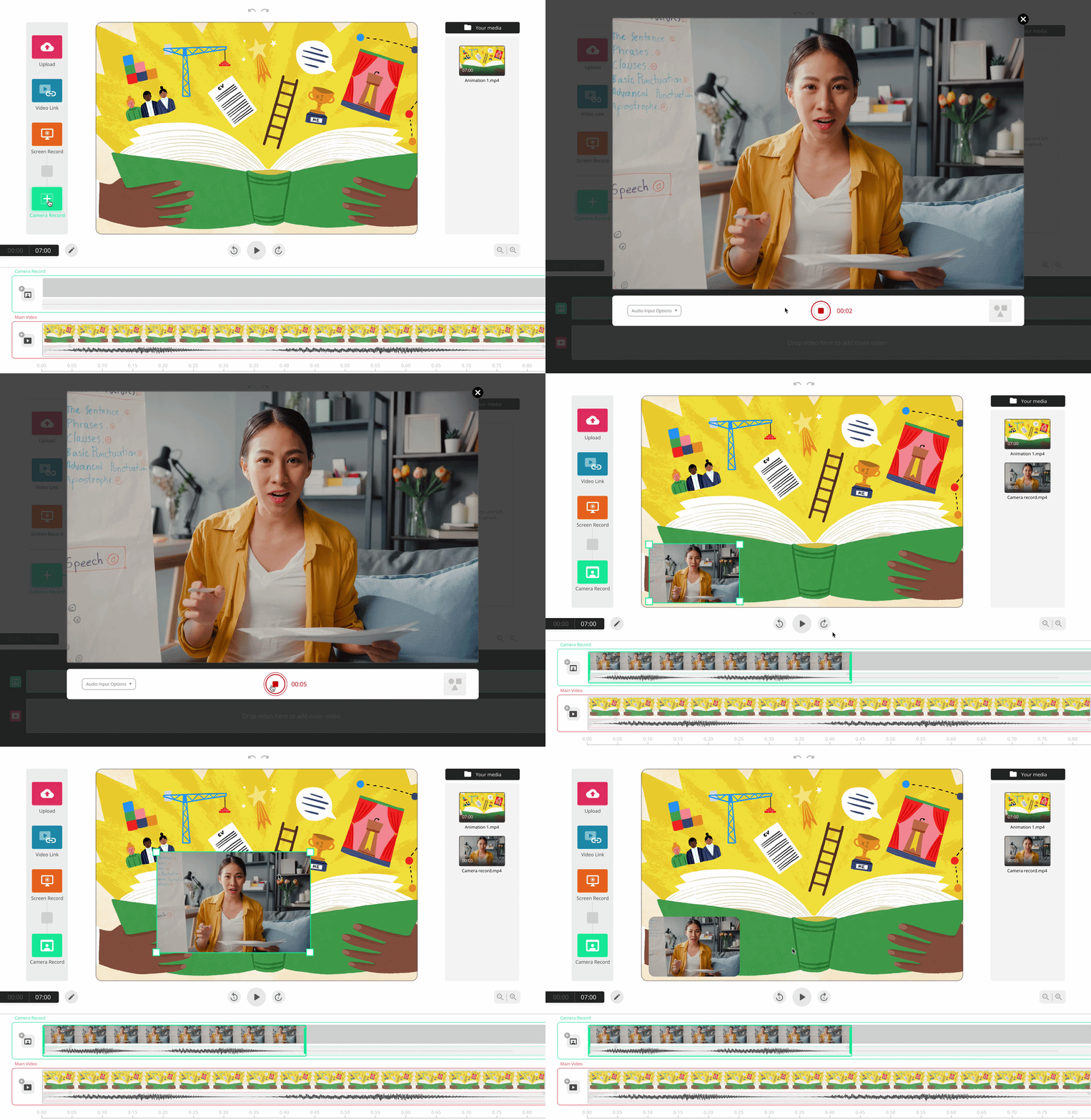
Camera Recording

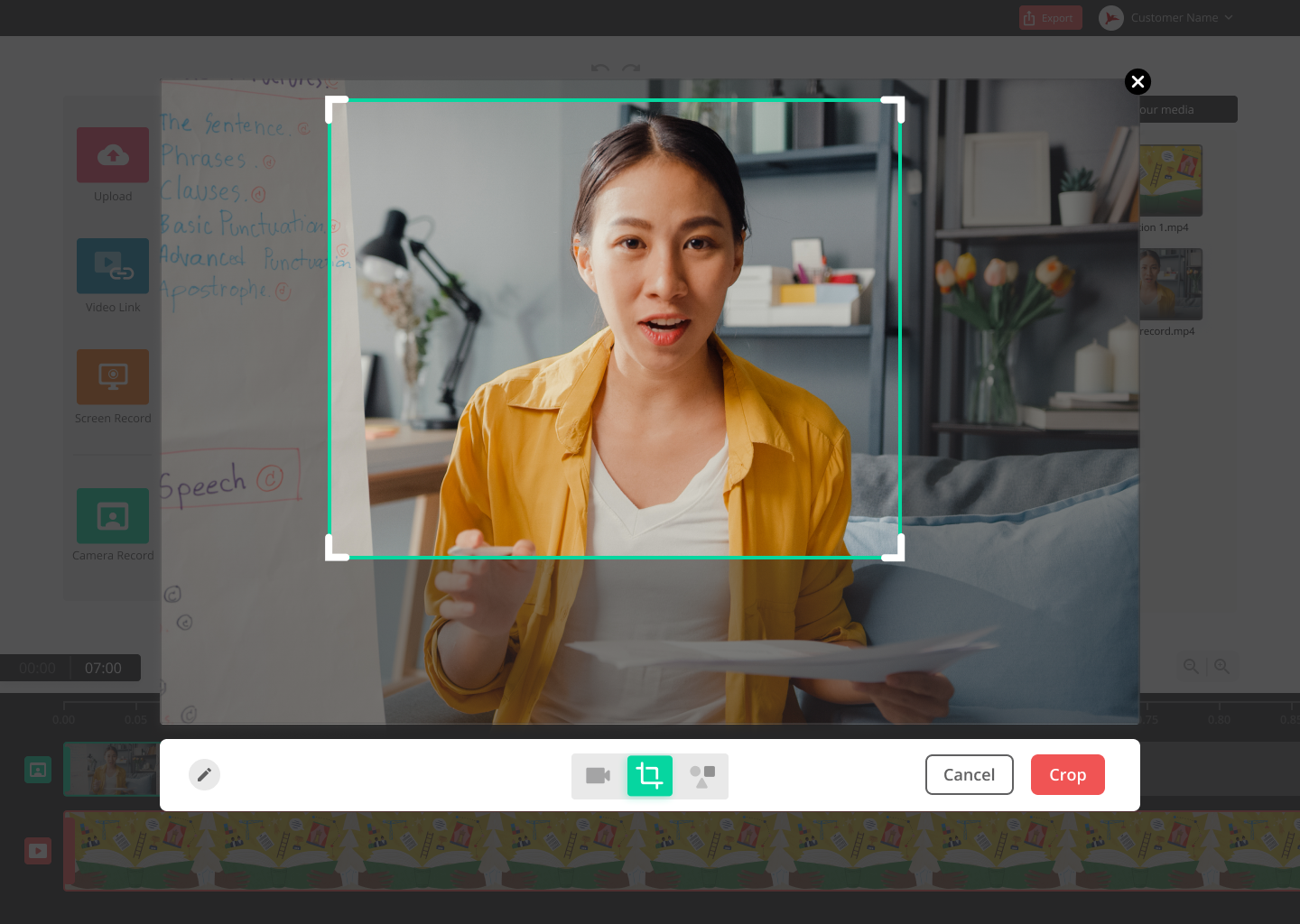
Record video directly within the platform, designed for presentations and quick content creation.
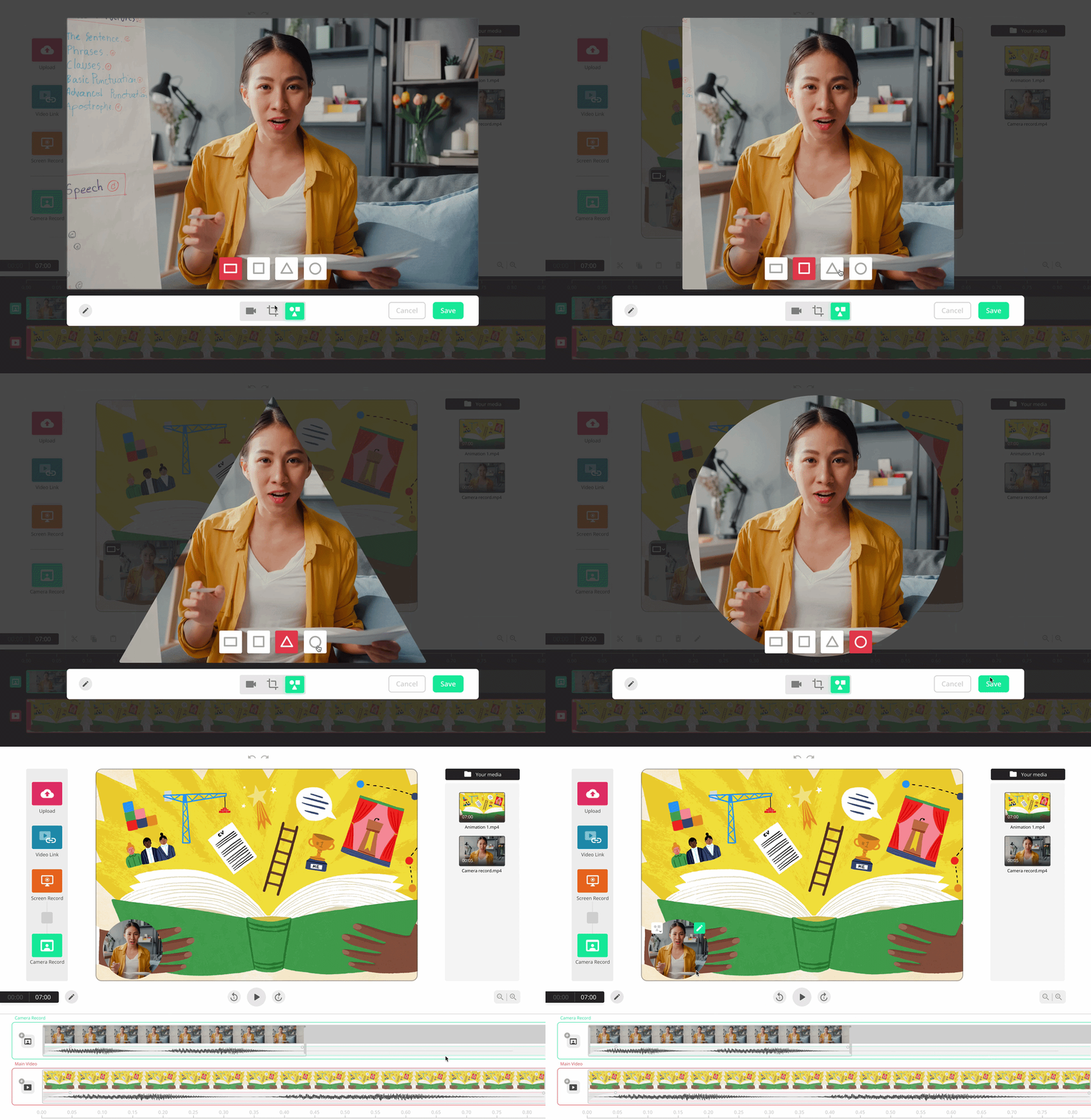
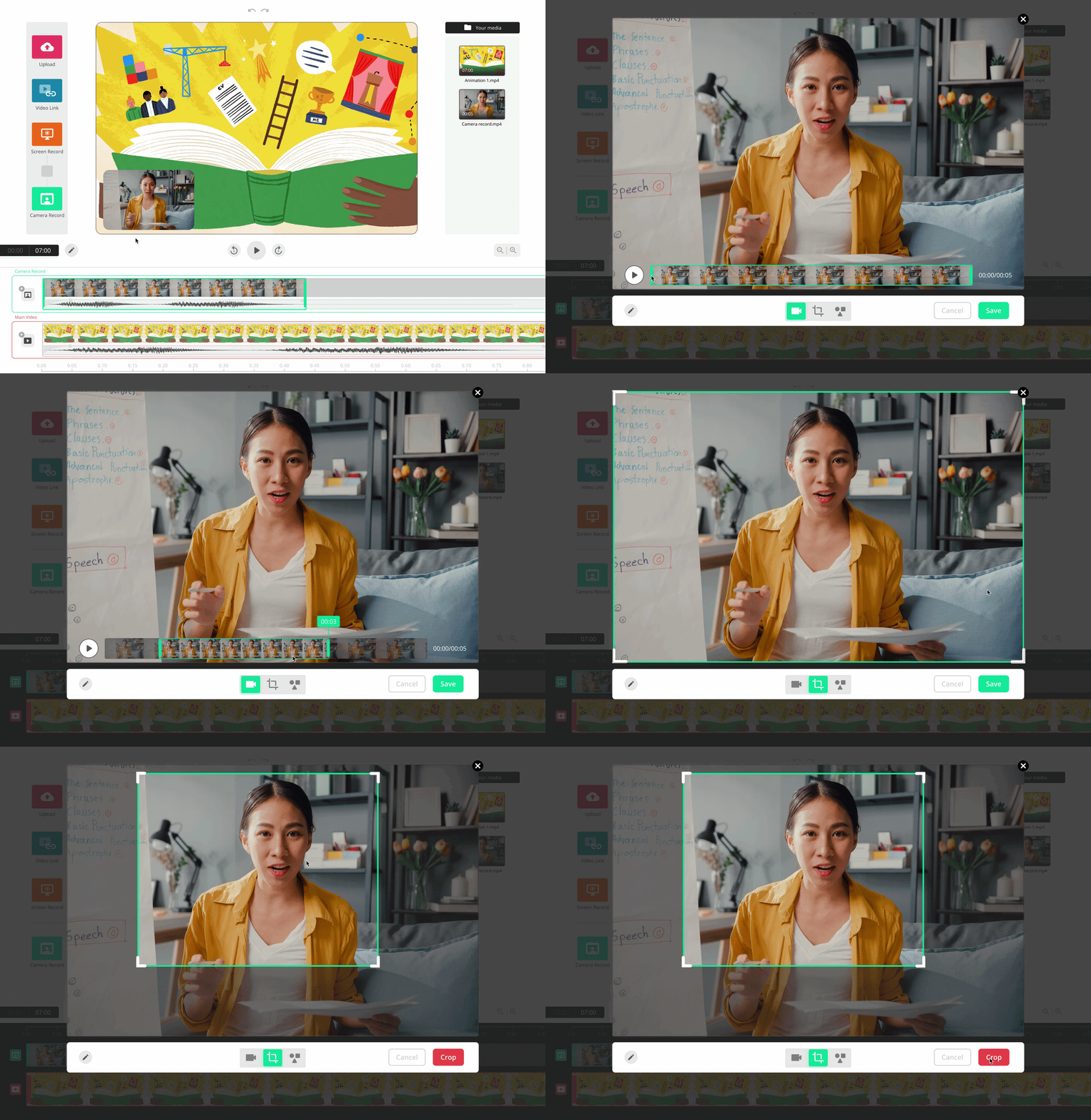
Camera Editing (Trim & Mask)

Edit recordings with simple controls such as trimming and masking, without needing advanced tools.
Screen + Camera Recording (Tutorial Mode)

Create tutorials by recording screen and camera simultaneously, making it easy to explain and present.

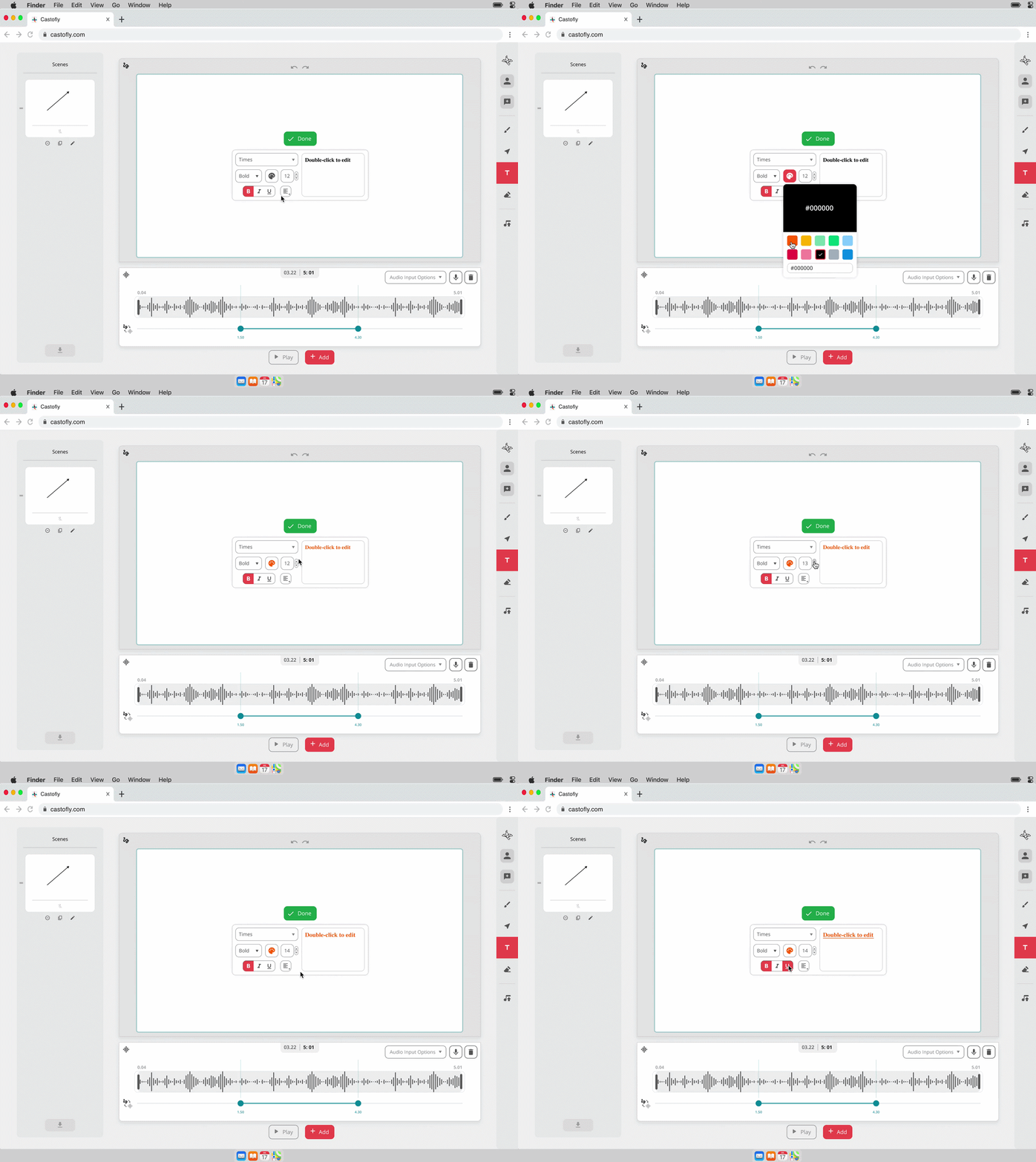
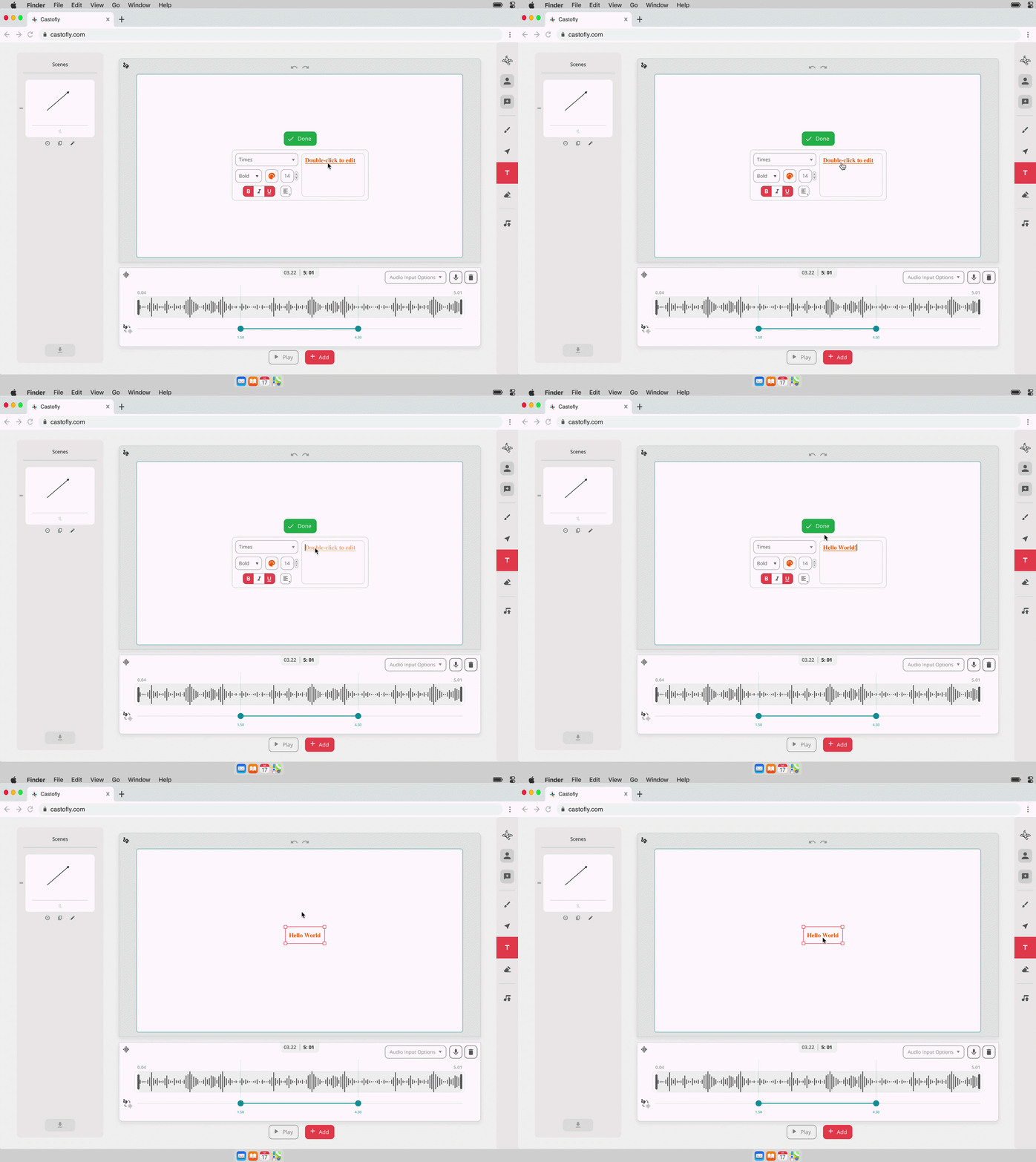
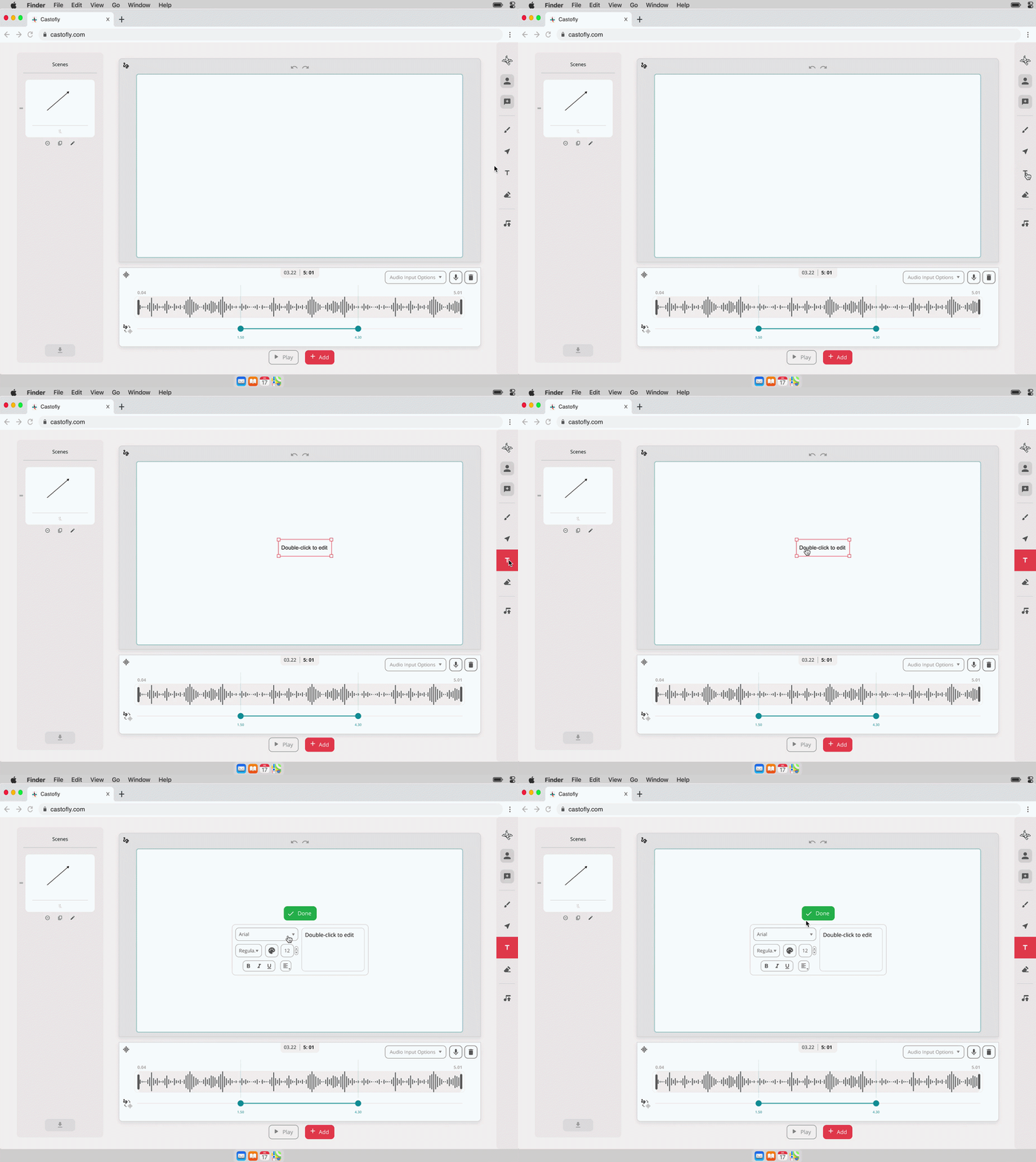
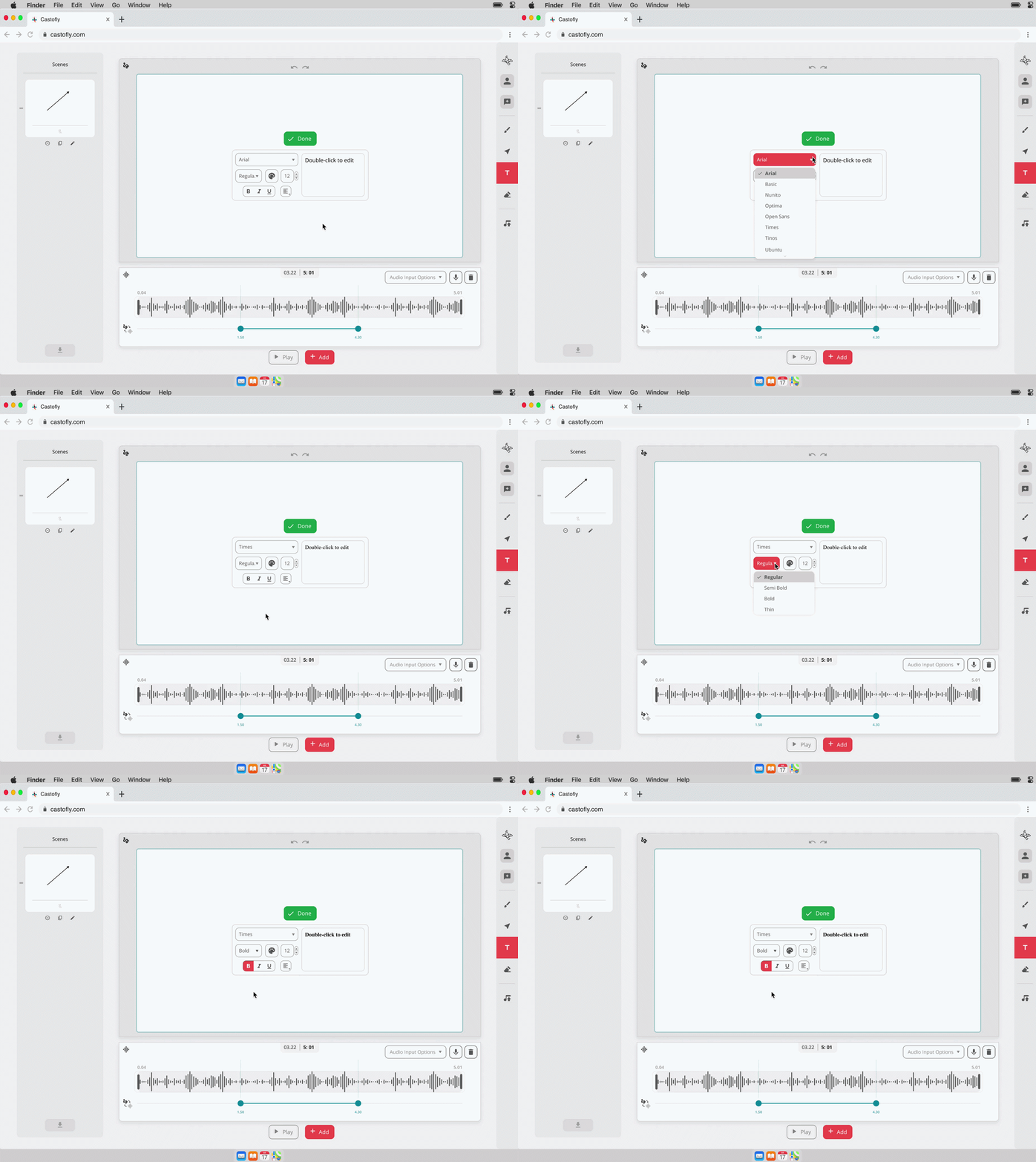
Text Editing and Styling Tools

Customize text with controls for font, size, weight, color, alignment, and styling.

Designed to balance user flexibility with technical constraints, ensuring the experience remains intuitive while working within backend limitations.
Growth & launch

LAnding page

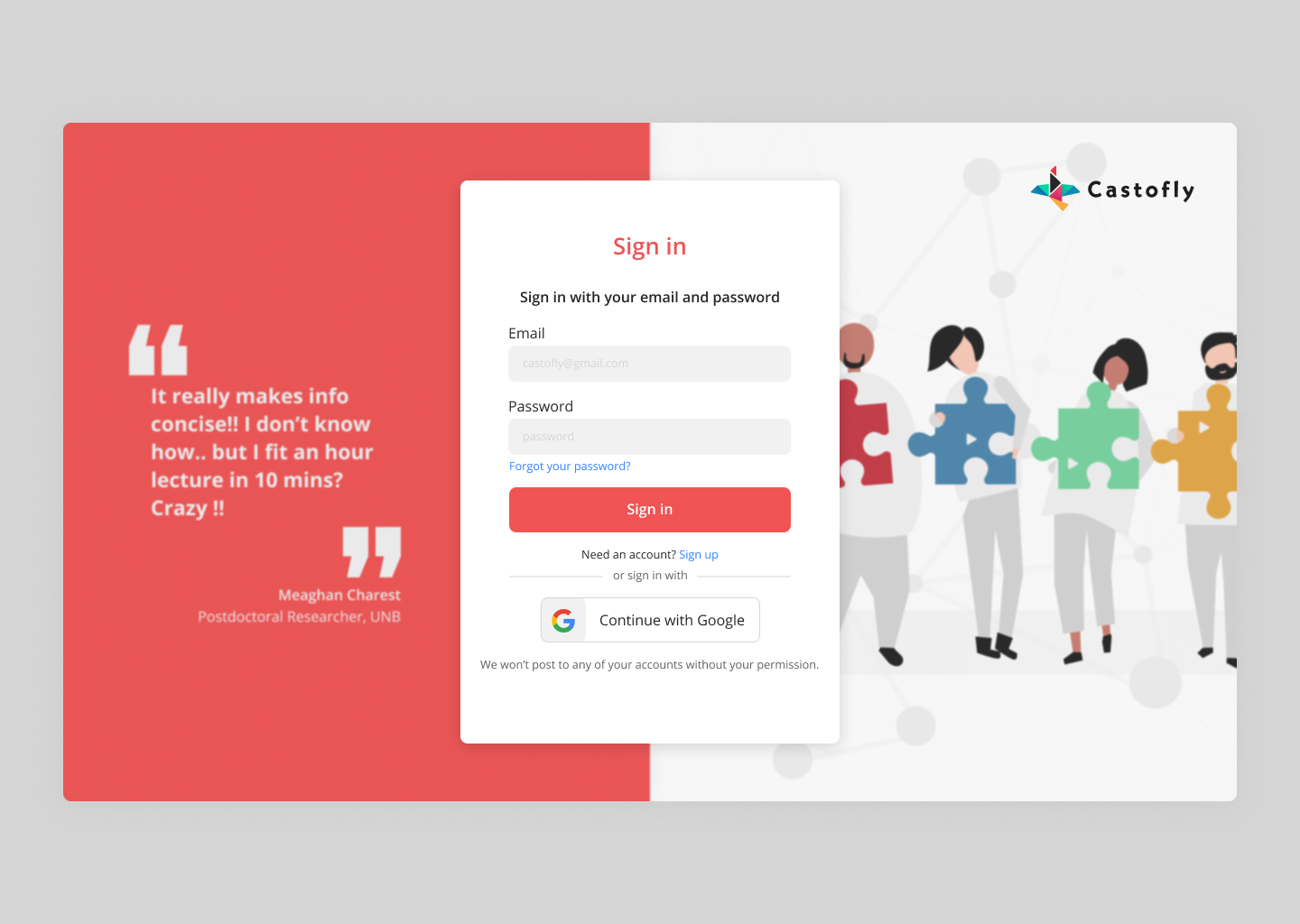
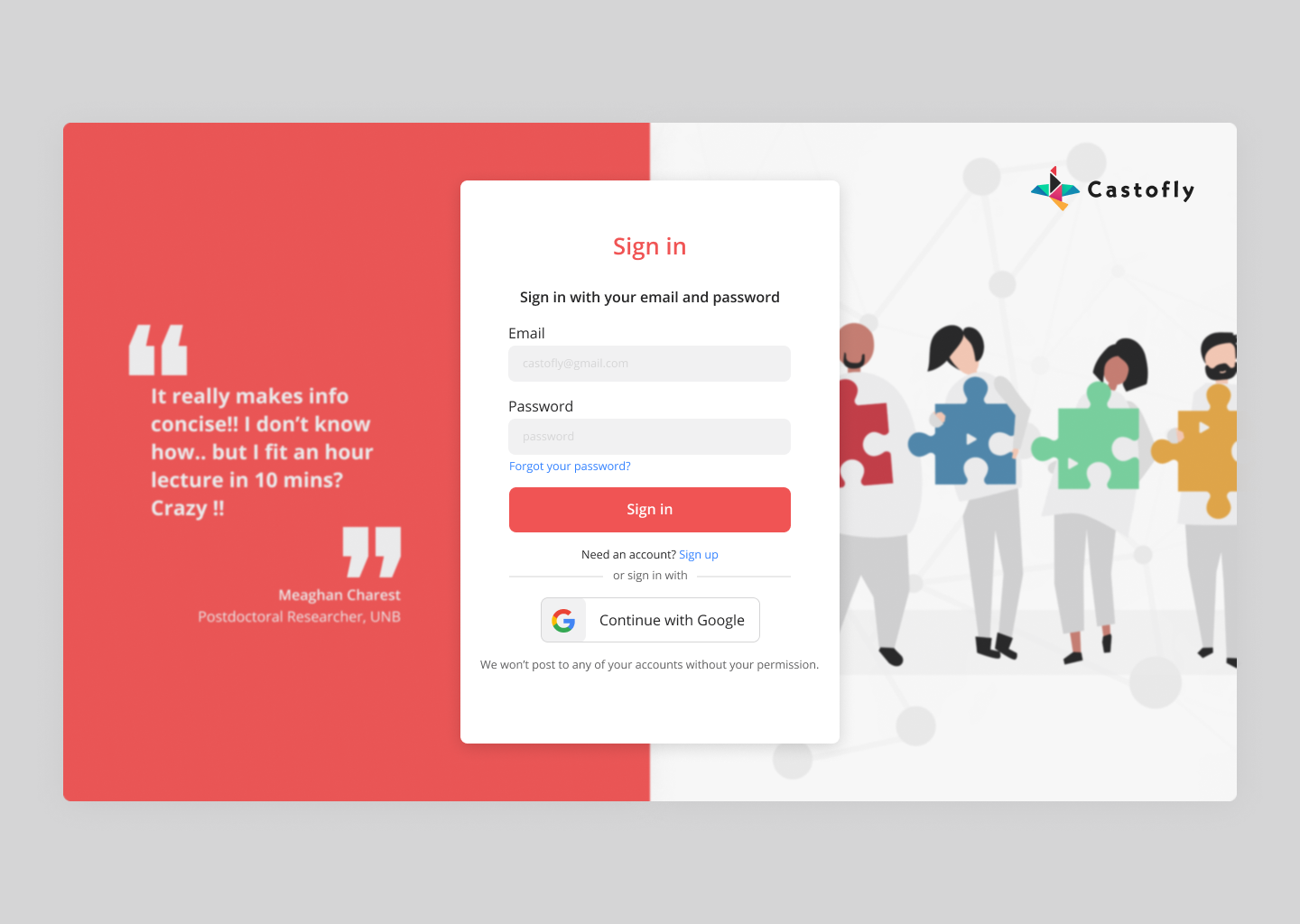
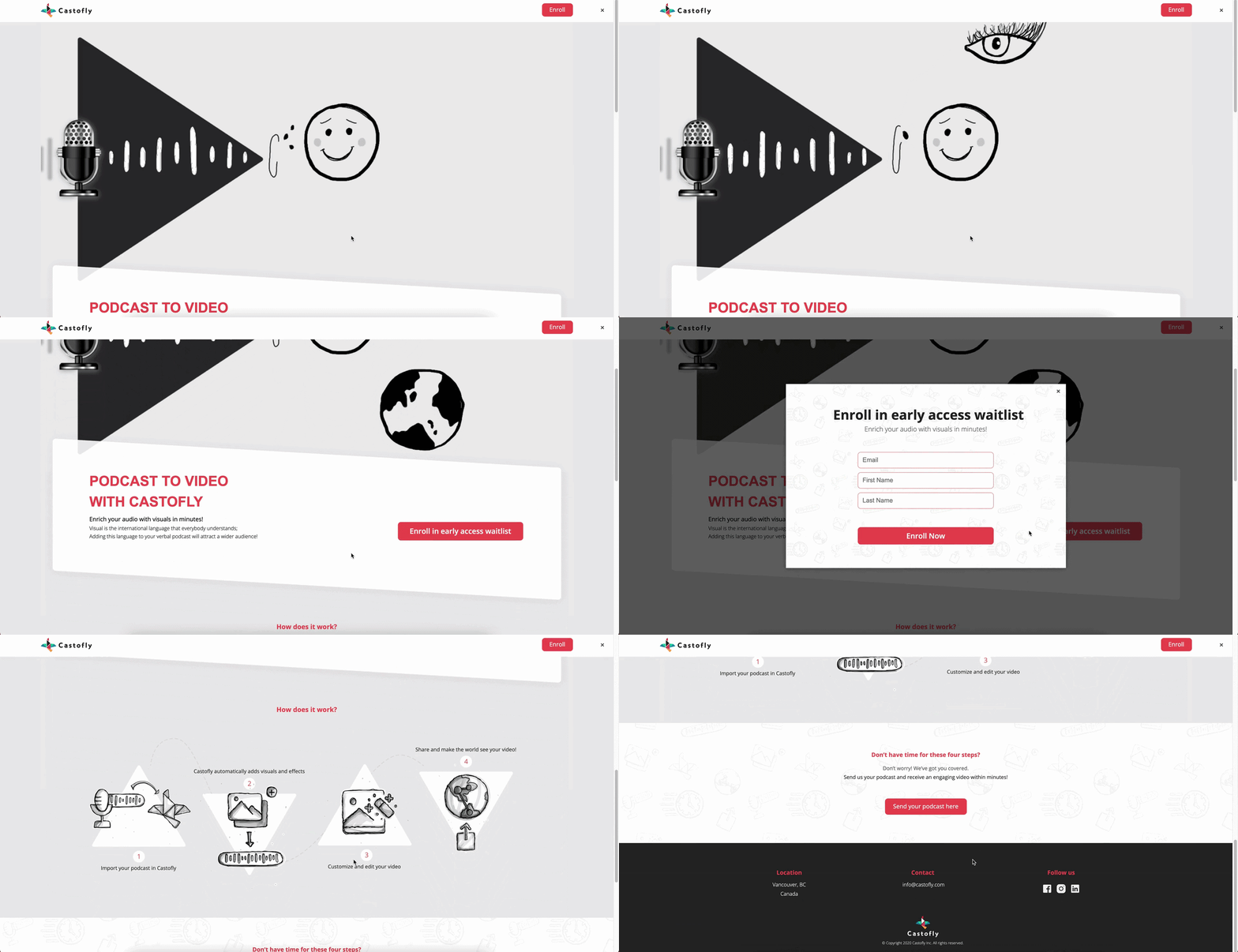
To support product adoption, I designed the landing page and registration experience, ensuring a clear and consistent entry point into the product.
  • Designed the landing page to communicate product value and key features clearly
  • Created a registration flow that reduces friction and supports onboarding
  • Aligned marketing and product experience through a consistent visual and interaction system

Designed to bridge product value and user onboarding through a clear and accessible experience
Castofly's landing page

Castofly's registration screen

posters

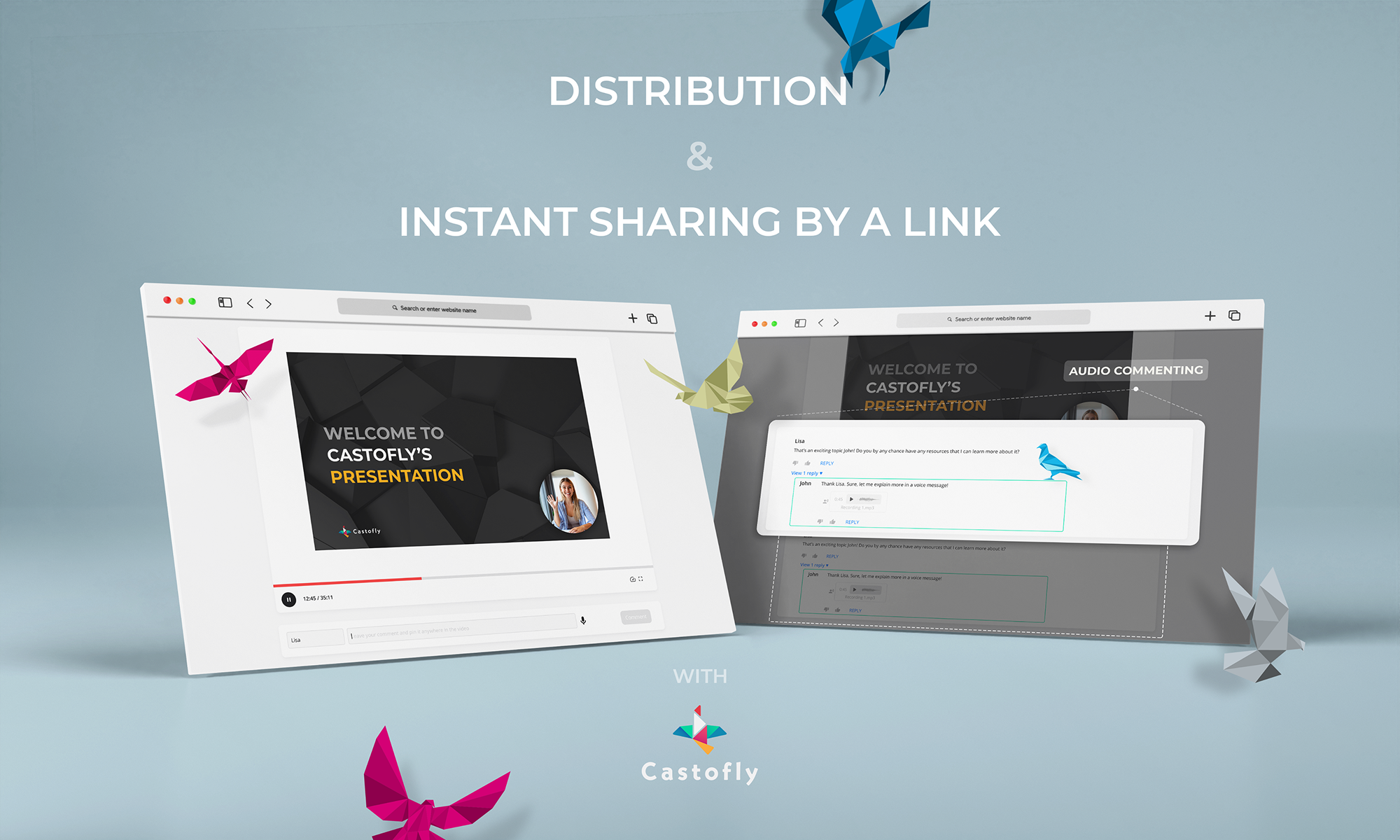
To extend the product beyond the interface, I explored the brand through marketing visuals and posters, creating a more expressive and recognizable identity.

I introduced a system of origami-inspired birds, derived from the logo, as a recurring visual element to give Castofly a distinct and cohesive identity across the product and marketing.

These visuals helped define how Castofly communicates across different touchpoints while maintaining a consistent tone, motion, and visual language.
Impact & reflection

challenges

  • Limited budget for large scale user testing
  • Early stage MVP with evolving direction
  • Balancing simplicity with an expanding feature set
  • Designing within technical constraints, finding solutions that balanced user needs with development feasibility

Impact

  • 72% increase in conversion within 6 months
  • Ranked #10 Product of the Day on Product Hunt
  • Reduced drop off for first time users
  • Established a strong product foundation for growth

Reflection

This project taught me how to take an early idea and turn it into a structured, usable, and differentiated product.

Working as the sole designer allowed me to own the process end to end, from defining the experience to shaping the product identity.

If I revisit this today, I would:

  • Expand user testing across a broader audience
  • Explore personalization features
  • Further scale the design system

Explore More

Dive deeper into specific parts of the project, including feature design and visual identity.

[[divider]]

Podofly — Audio to Visual Editing Tool

View Podofly case study

Branding & Design System

The visual identity, illustration system, and design foundation that shaped the product.
View branding & design system